Skip to the case studies

Montevideo · at noon

ES EN

Belén Lúgaro

UX/UI and graphic designer

I’m Belén and I design interfaces and graphic pieces. I trained in UX/UI, I have experience as a graphic designer and I’m studying Digital Design at ORT.

Available now · also freelance

Personal project · With AI · 2026 · In Figma

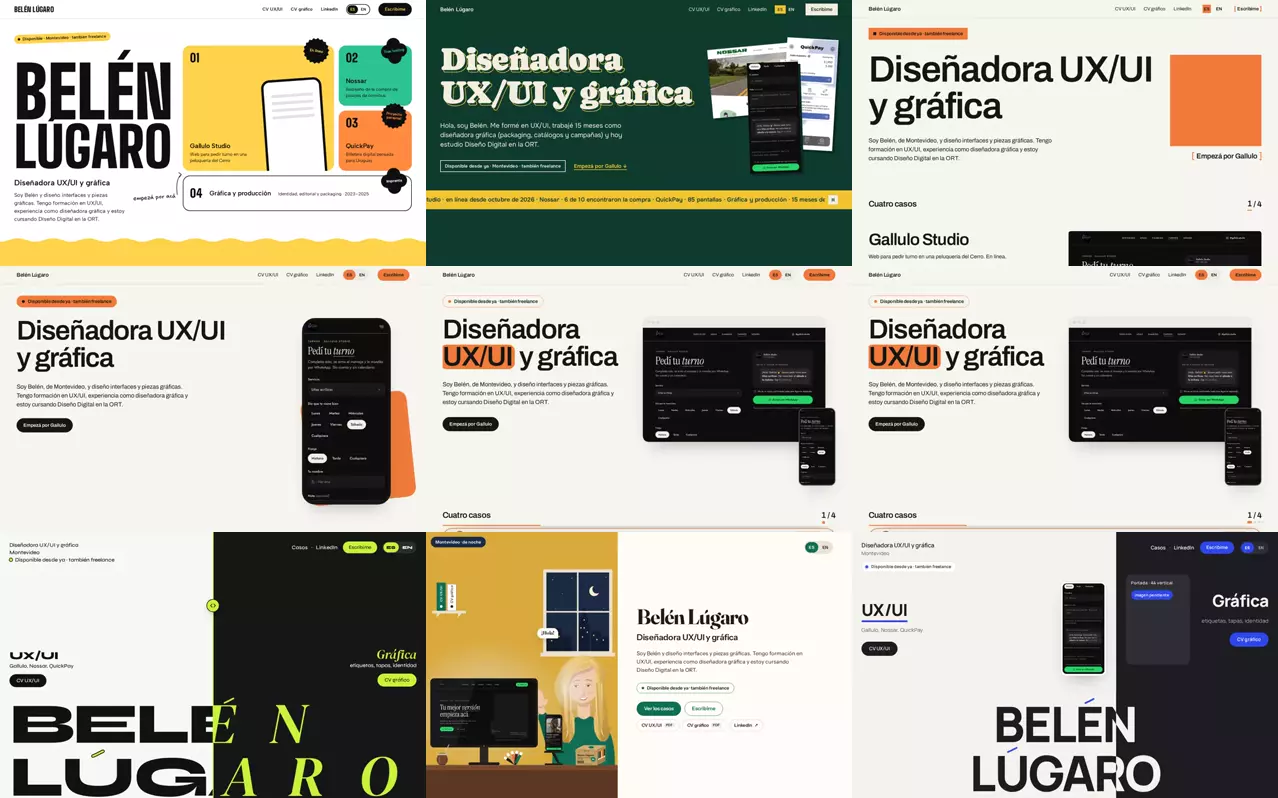
This page: 11 rounds of proposals and a final version built from the best of each.
See case This portfolio

Real client · Web, mobile first · 2026 · Live

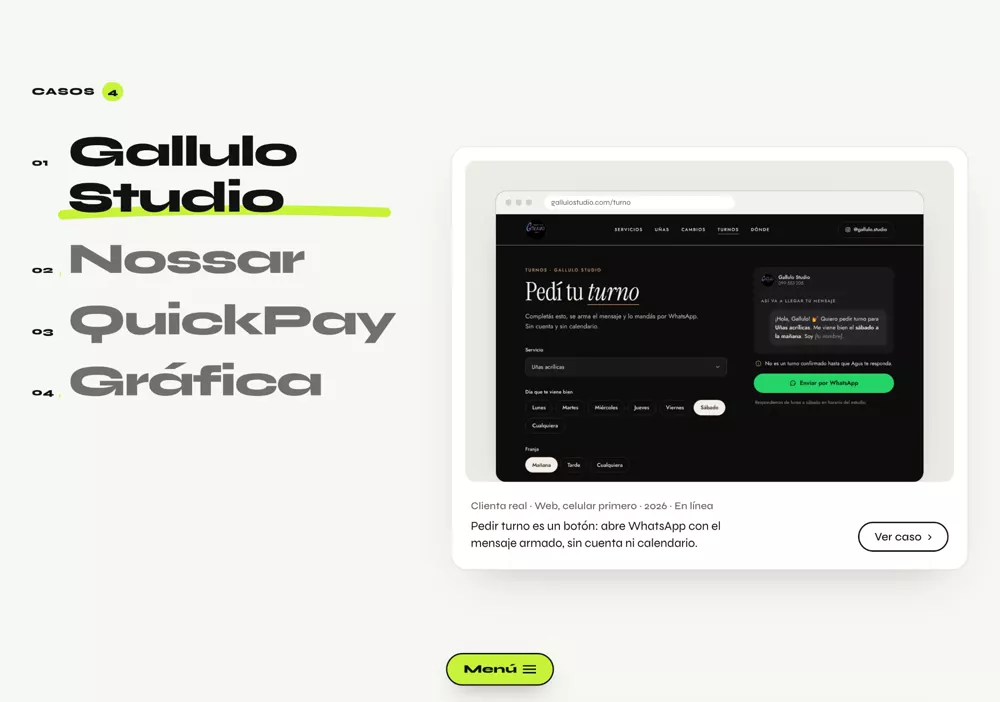
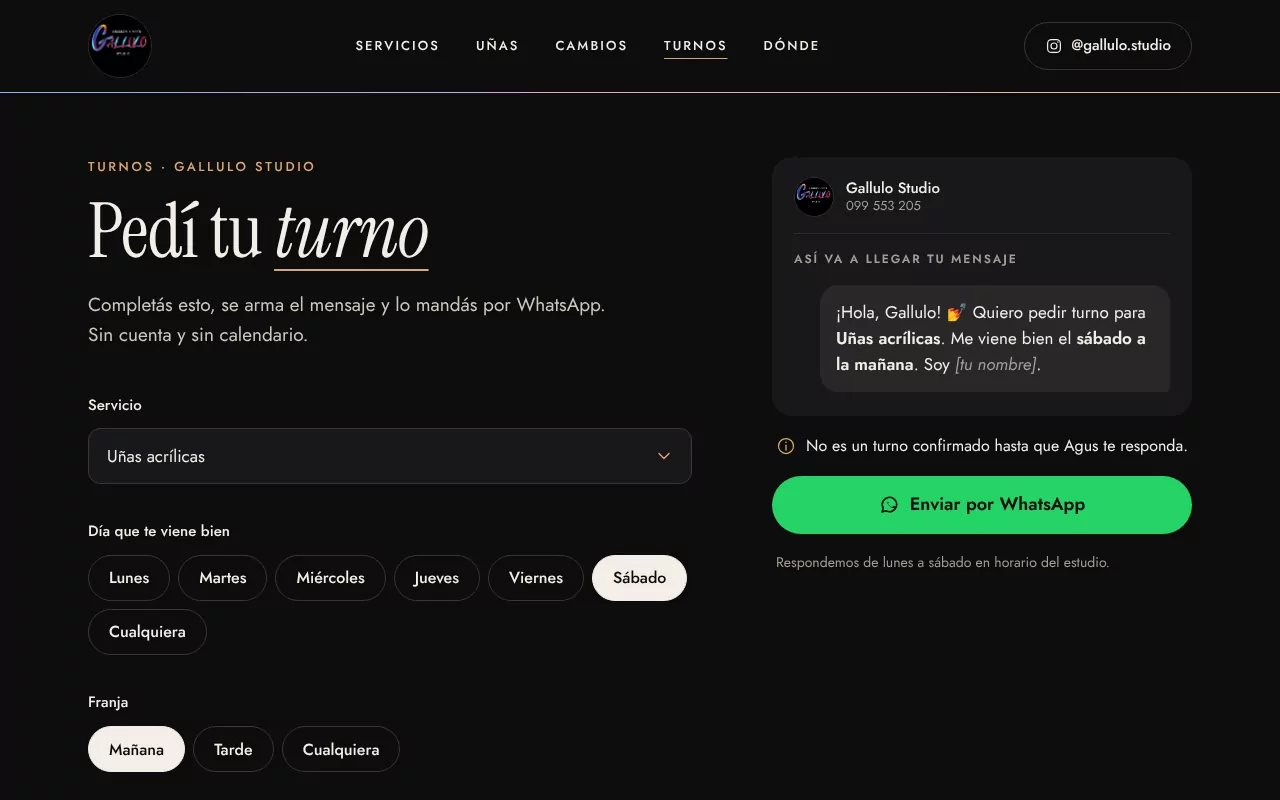
Booking is one button: it opens WhatsApp with the message ready, no account or calendar.
See case Gallulo Studio
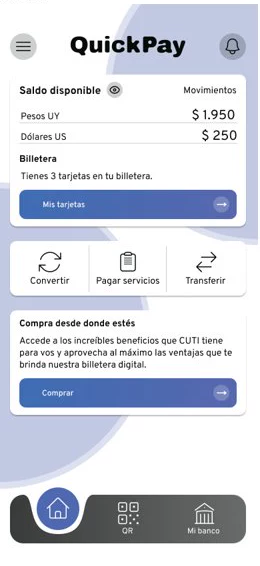
QuickPay’s home screen: the balance in pesos and dollars and shortcuts to convert, pay bills and transfer.

Personal project · Solo · 2024 · No users

A digital wallet designed for Uruguay, in 85 screens.
See case QuickPay

Course project · Solo · 2022–2023

From 7 sections to 5, with buying tickets first, and a tree test with 10 people.

See case Nossar

01UX/UI

This portfolio

How this page was made

I made it with an AI agent: every night it put together proposals based on my feedback, and in the morning I reviewed them, said what stayed and what didn’t, and asked for the next one. Over 11 rounds there were 26 proposals. The final version is none of them: it’s a collage, section by section, of the best of several, unified at the end.

Year
2026
Type
Personal project · web
How
Solo, with an AI agent
Status
Live since October 2026
Deliverables
Final design in Figma, with components and styles

Where each part came from

For the final version I chose, section by section, the proposal that solved each one best, and then unified them: one type scale, two typefaces and a single accent color.

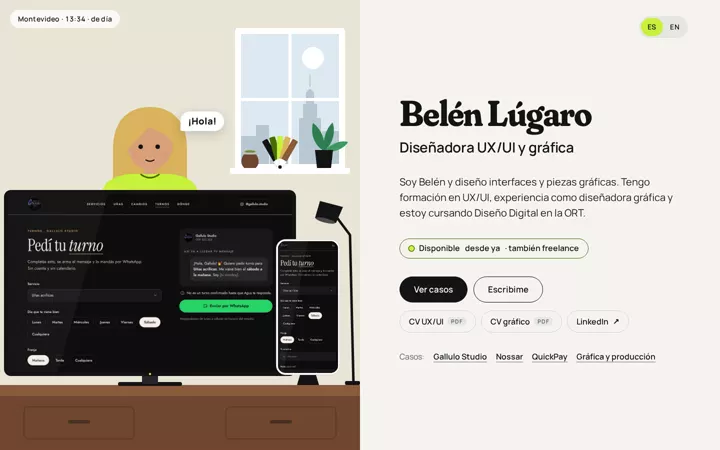
  1. Round 7 · Belu’s desk

    With a cleaner scene and the window following the time of day.
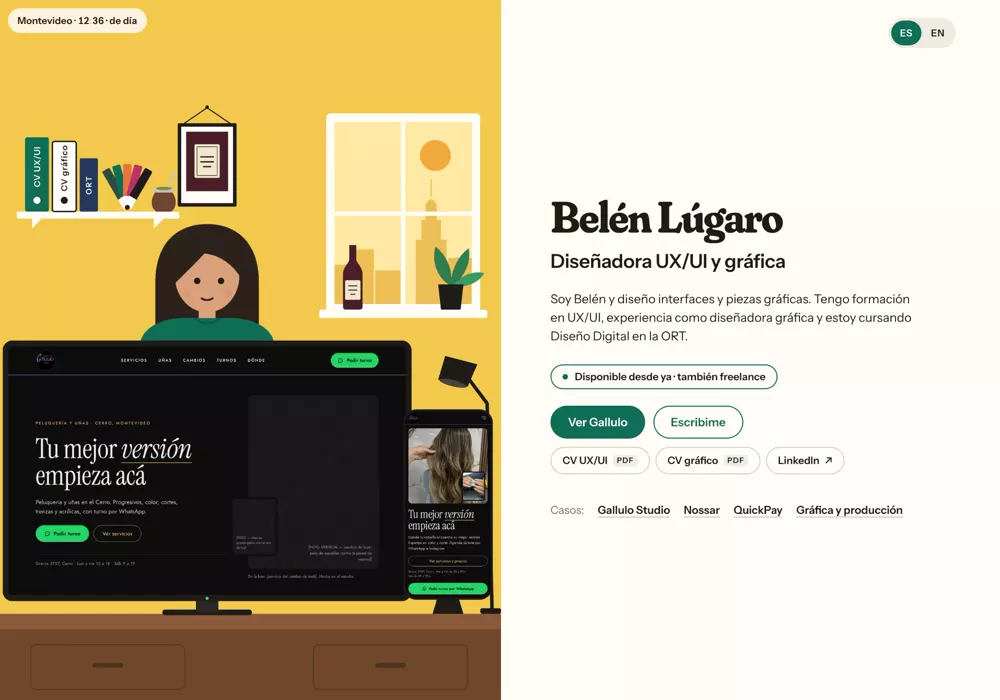
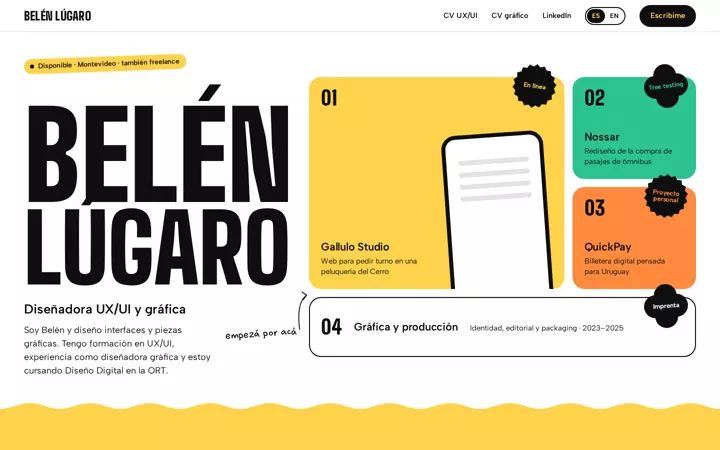
    The first screen of “Belu’s desk”, from round 7: Belu illustrated at her desk and, on the right, the name and the buttons.
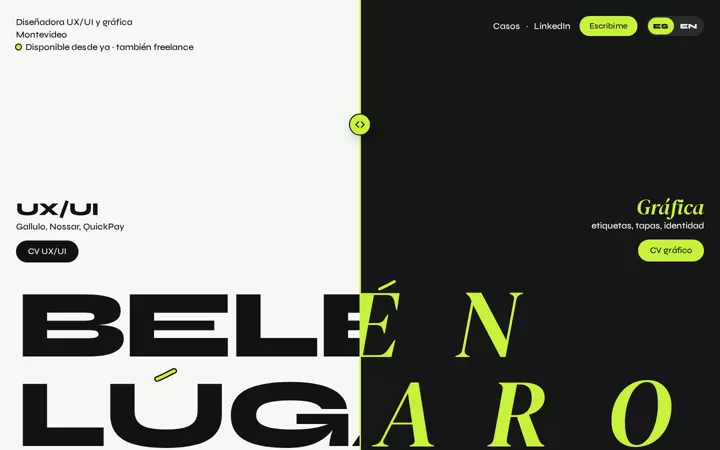
  2. Round 7 · The two sides of the name

    The overview of “The two sides of the name”, from round 7: the numbered list with large names and the case card beside it.
  3. Round 9 · The two halves

    QuickPay without the blue background; Graphic design in a mosaic that grows with each piece.
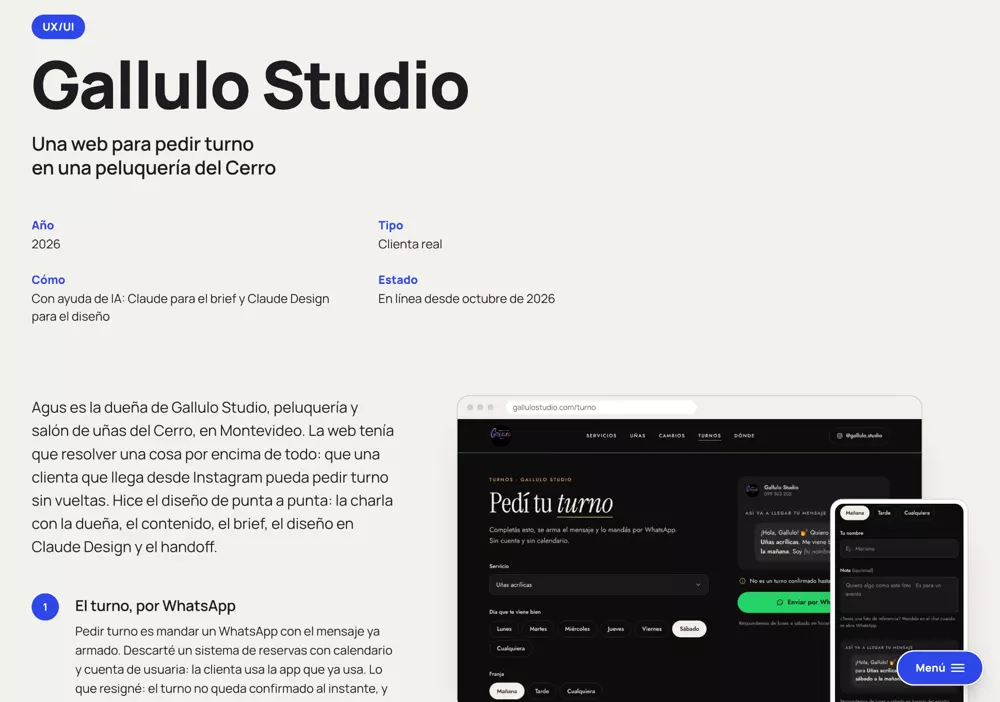
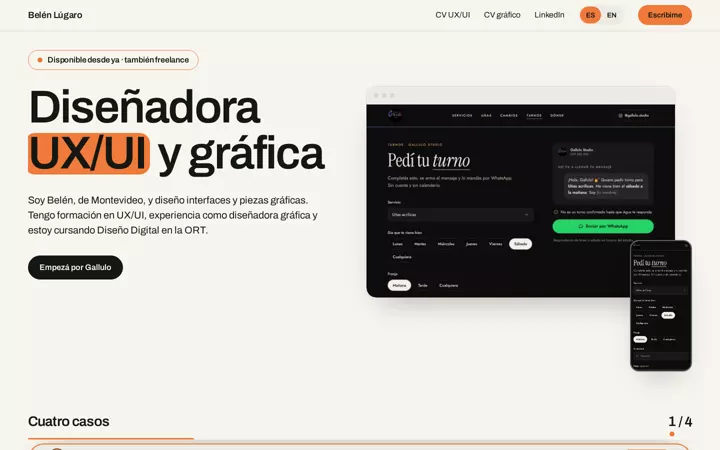
    Gallulo in “The two halves”, from round 9: the fact sheet and the browser with the phone on top.
  4. Round 9 · Front and back

    The fact sheet from “Front and back”, round 9: the text on the left and the details in two columns on the right.
  5. Round 8 · The shrinking scene

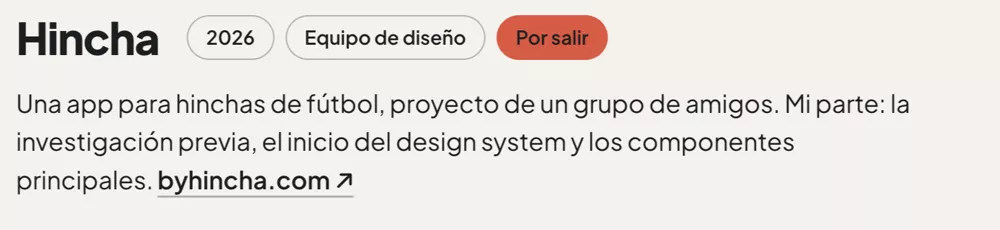
    Hincha in “The shrinking scene”, from round 8: the name with its tags and a paragraph.
The final page: each part with the number of the proposal it came from.

Four moments in eleven rounds

The first screen of “The mosaic: blocks of color”, from round 1.
Round 1 The mosaic: blocks of color First attempt Put on hold: I asked for more animation and more depth.
The first screen of “The deck, in detail”, from round 5.
Round 5 The deck, in detail Chosen and discarded I chose it as the final one; then, with two new references, everything changed.
The first screen of “The two sides of the name”, from round 7.
Round 7 The two sides of the name The turn From scratch, with other references. The overview, Nossar and Email me came from here.
The first screen of “The assembled page”, from round 10.
Round 10 The assembled page Almost final The section-by-section collage, before unifying type scale, typefaces and color.

What I learned

  • Showing with screenshots what I wanted from each version worked better than describing it in words: the final page came from pointing at where each part came from.
  • Putting together pieces from different versions forces you to unify: typography, hierarchy and color were only adjusted in the last round.

What I’d do differently today

  • Define the type scale and the palette earlier, so I don’t have to unify them at the end.
  • Review every round on a phone too, from the start: several details only showed up there.

02UX/UI

Gallulo Studio

A website for booking appointments at a hair salon in Cerro, Montevideo

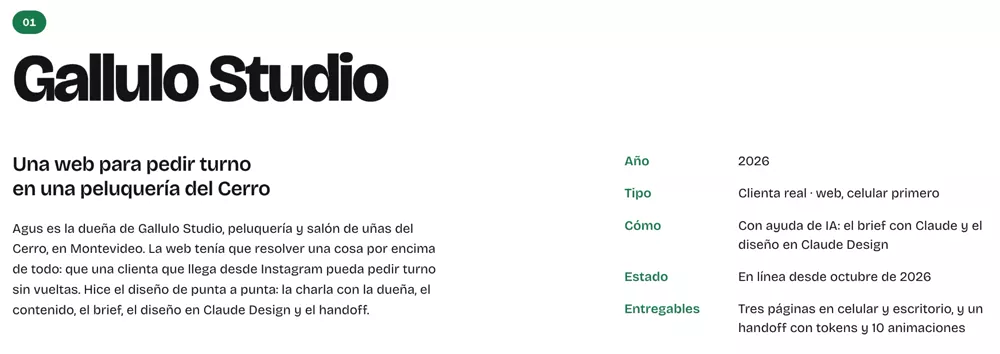
Agus owns Gallulo Studio, a hair and nail salon in Cerro, Montevideo. The website had to solve one thing above all: that a client coming from Instagram can book an appointment without any hassle.

Year
2026
Type
Real client · web, mobile first
How
With AI help: the brief with Claude and the design in Claude Design
Status
Live since October 2026
Deliverables
Three pages on mobile and desktop, and a handoff with tokens and 10 animations

I did the design end to end: the conversation with the owner, the content, the brief, the design in Claude Design and the handoff. It was built with a coding agent from my handoff.

  1. Booking via WhatsApp

    Booking means sending a WhatsApp message that’s already written. I ruled out a booking system with a calendar and user accounts: clients use the app they already use. The trade-off: the appointment isn’t confirmed instantly, and the page says so clearly.

  2. Mobile first, with a fixed bar

    Clients arrive from the Instagram link, on their phones: “Book via WhatsApp” is always at hand in a bar at the bottom, instead of repeating the button in every section. The trade-off: about 80 px of screen taken up all the time.

  3. Green, only for WhatsApp

    WhatsApp green appears only on the booking buttons; gold goes on the numbering and underlines. If green only shows up there, it reads as “book here”.
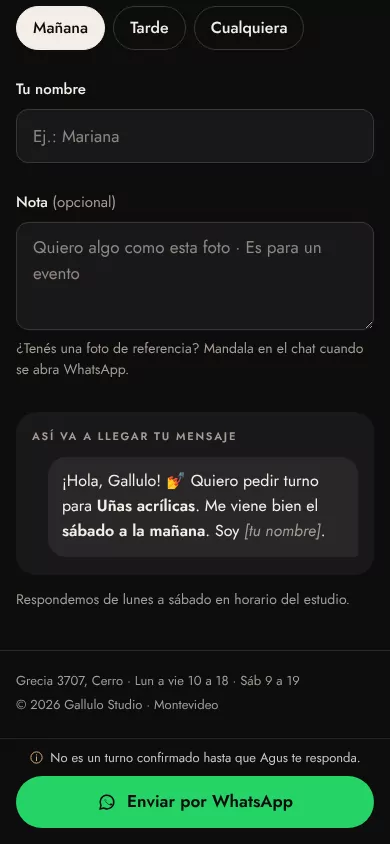
gallulostudio.com

The booking request on mobile: the message preview, the note “It’s not a confirmed appointment until Agus replies” and the “Send via WhatsApp” button.
The booking request, from the original design: on desktop and on mobile.

What I learned

  • I designed without having all the information: prices, durations and Agus’s introduction would come later, so in the design they were marked as missing data, without making them up.

What I’d do differently today

  • Design the error states of the booking request (if the name or the day is missing): they weren’t in my design and were solved during implementation.
  • Also design an intermediate width: I designed at 390 and 1280 px, and between 1024 and 1279 px the columns didn’t fit.
  • A shorter home page: today it carries the whole price list, which is also on the services page.
  • Ask from the start for a way to measure how many people tap “Book”.

03

Graphic design and production

Illustration, editorial and packaging.

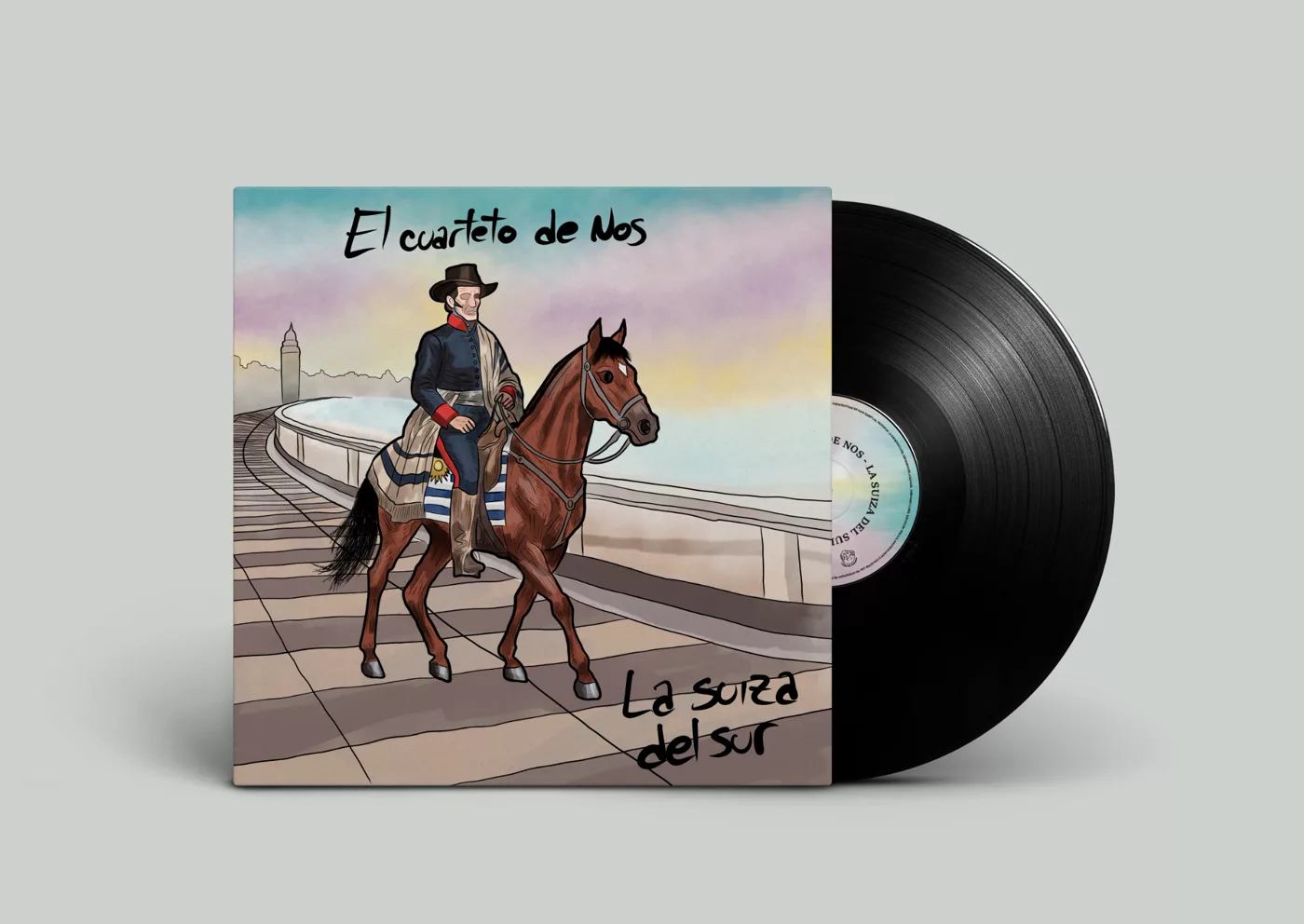
The vinyl edition of an album by El Cuarteto de Nos, from 2026.

Year
2026
How
Solo
Deliverables
A complete vinyl edition (illustrations, cover, booklet, labels and coasters)

La Suiza del Sur

2026

For university: the vinyl edition of a compilation by El Cuarteto de Nos, ten songs about Uruguayan identity. My own illustrations, front and back cover, booklet, labels for sides A and B, and coasters.

La Suiza del Sur · the booklet

2026

The inside: an introduction and a text per song, with its album, year and length, over the same watercolor background as the cover. I polished the wording of the texts with AI.

04

QuickPay

A digital wallet designed for Uruguay

Paying ANTEL, BPS or the city government, transferring money and using perks, in 85 screens.

Year
2024
Type
Personal project · app
How
Solo
Status
No users or client
Deliverables
85 screens in Figma, with their error and success states

I designed it on my own in 2024: 85 screens in Figma for paying local bills (ANTEL, BPS, BROU, Intendencia de Montevideo), transferring money, converting between pesos and dollars, paying with QR, signing in with Face ID and using perks, with their error and success states. It had no users or client.
QuickPay’s home screen: the balance in pesos and dollars, the wallet and shortcuts to convert, pay bills and transfer.
Home
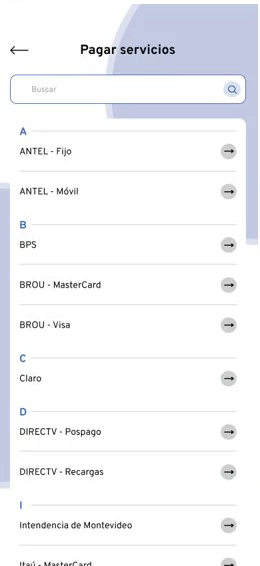
Pay bills: a search box and the list sorted from A to Z, from ANTEL to Intendencia de Montevideo.
Pay bills
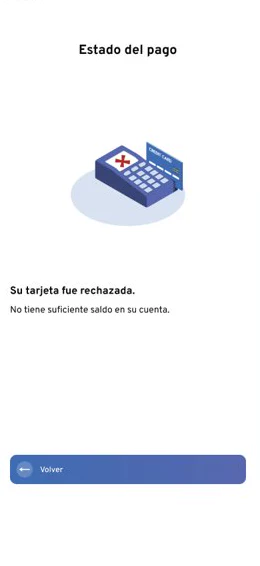
Payment status: “Your card was declined. You don’t have enough balance in your account”, with a single button, “Back”.
Payment declined: only “Back”

What I’d do differently today

  • Larger text with more contrast.
  • Buttons with hierarchy: primary, secondary and disabled.
  • Components from the start, and a single voice.
  • A payment error that offers another way out besides “Back”.

05

Nossar

Redesigning ticket purchase for a bus company

I chose Nossar, a bus company from Durazno, Uruguay: on its website, buying a ticket was a box at the bottom of the home page. I did the whole process on my own: interviews, card sorting, information architecture, tree testing and a prototype in Figma.

Year
2022–2023
Type
Course project (Coderhouse) · desktop web
How
Solo, from research to prototype
Status
Not presented to the company
Deliverables
3 interviews, card sorting, a tree test with 10 people and an 89-screen prototype in Figma

I evaluated my own new architecture with a tree test: 10 people, 2 tasks.

6 of 10

  • Task 1 found where to book and buy a ticket (4 by the direct path, 2 with detours).
  • Task 2 found how to send a parcel from Montevideo to Colonia (5 by the direct path, 1 with detours).

15 s

was the median time to reach the purchase.

From seven sections to five, with buying first

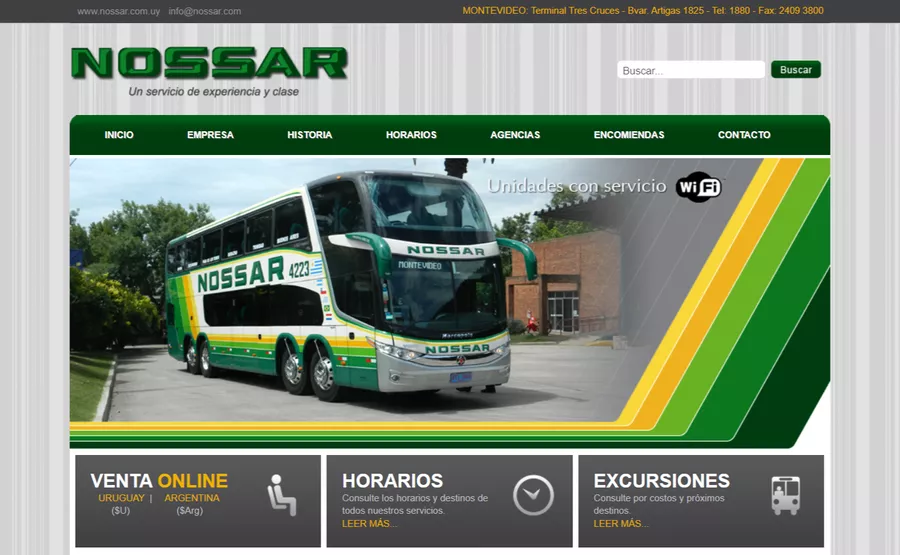
In 2022, Nossar’s website had seven sections, a fax number in the header and online sales in one of three boxes at the bottom of the home page. The 3 people I interviewed described it as “clunky, unfriendly and unintuitive”, and 2 of 3 use it mainly to buy tickets.

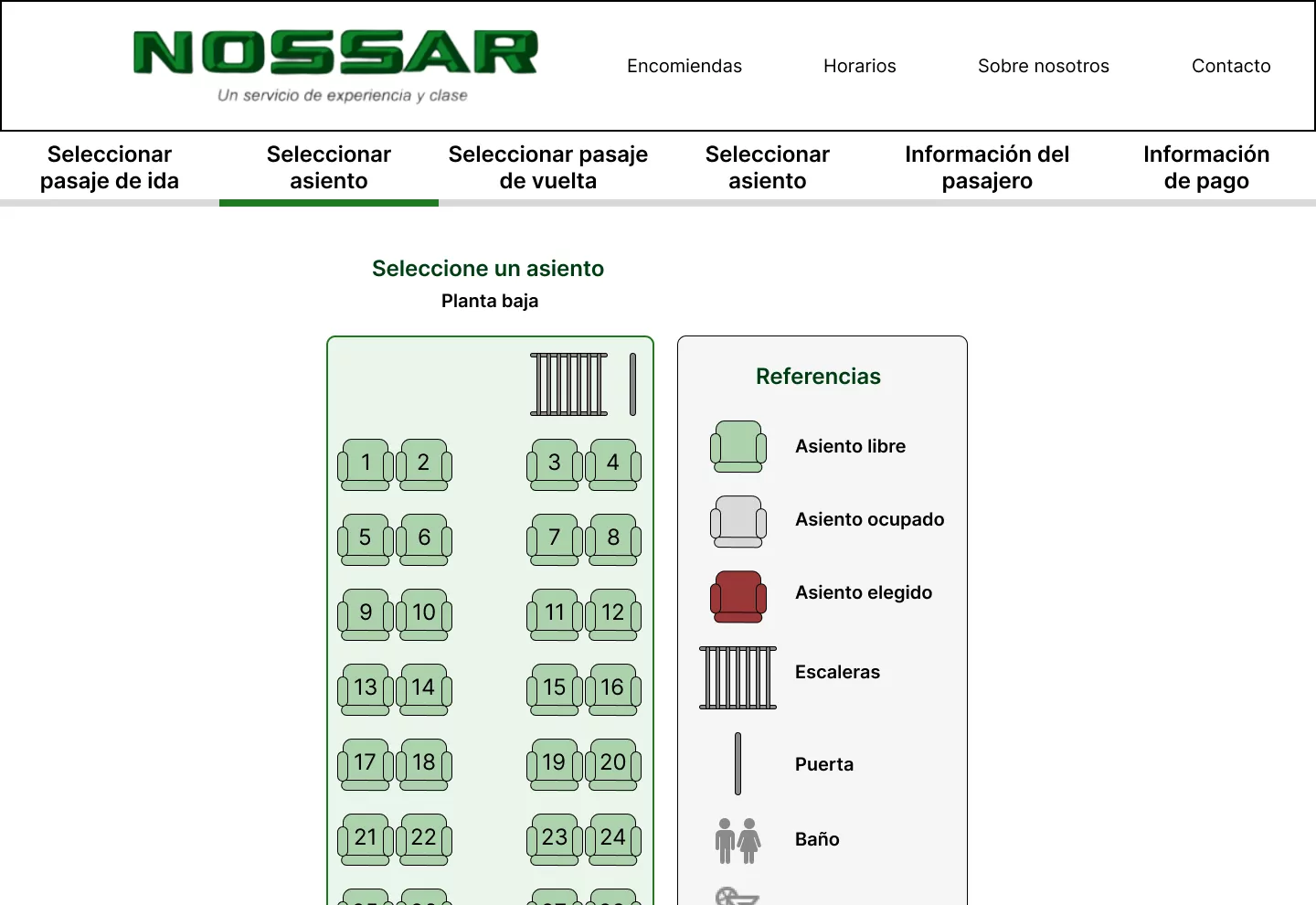
Company and History were merged into “About us”, as the card sorting grouped them (8 of 10). Sales came first, with the path Find a ticket › List of buses › Choose a seat › Details and payment.

Before 7 sections

  • Home
  • Company
  • History
  • Schedules
  • Agencies
  • Parcels
  • Contact

After 5 sections

  • Online sales
  • Parcels
  • Schedules
  • About us
  • Contact

How I read it today: 4 of 10 people didn’t find the purchase in an architecture that put it first. It’s a finding about my design: I’d try more direct names, with the task’s verb, like “Buy tickets” instead of “Online sales”.
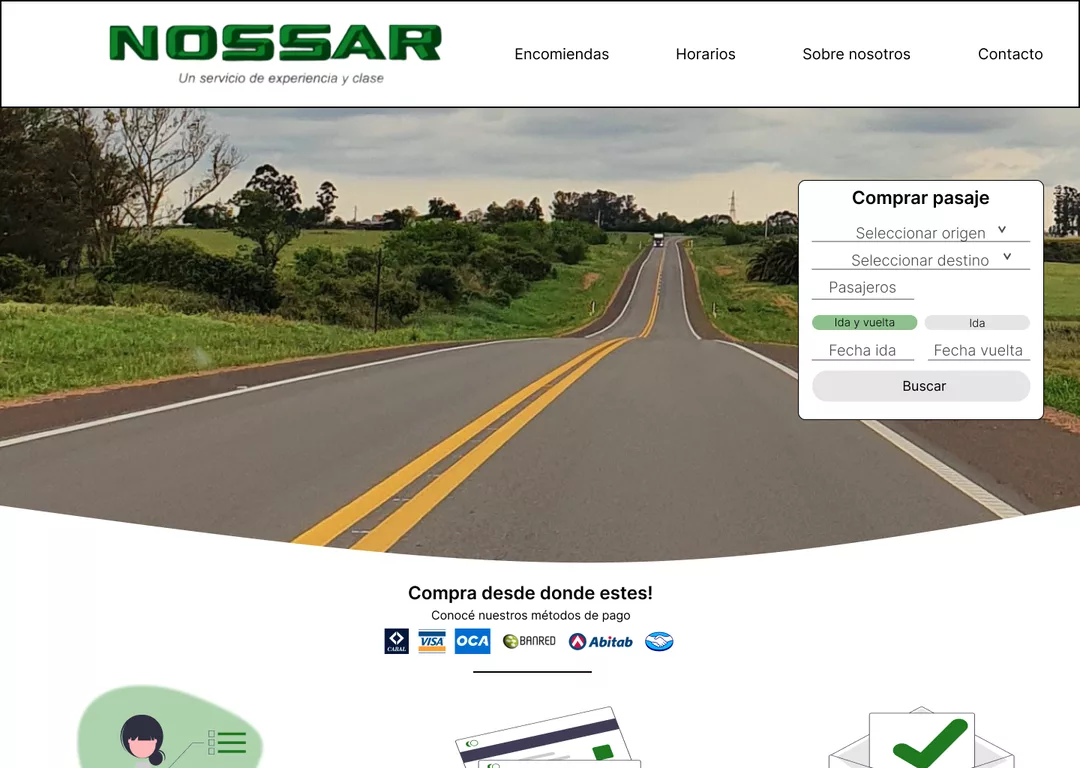
Nossar’s redesigned home page (course prototype, 2023): the menu with five sections and the “Buy ticket” search over a photo of a road.
The nossar.com.uy home page in 2022: seven sections in the menu and online sales in one of three boxes at the bottom.
Drag the line: on the left, the 2022 home page; on the right, my prototype, with buying first.

What I learned

  • With 10 people, almost all of them acquaintances, a tree test is useful for spotting problems, not for measuring.
  • A tree test tells you whether people find the path, not whether they complete the purchase.

What I’d do differently today

  • Adjust the architecture with what the tree test showed and test it again before drawing screens.
  • Try Schedules inside the purchase: in the card sorting, 7 of 10 grouped it with “Find a ticket”.
  • Show the price and the free seats in the list of buses, since that’s what people decide with.
  • Recruit outside my circle, with people who travel by bus to the rest of the country.

Email me

belumabelu@gmail.com

Available now for a UX/UI or graphic design position in Montevideo, as an employee, part-time or full-time. I also take freelance projects.